Banking, payments and crypto — in one rhythm.
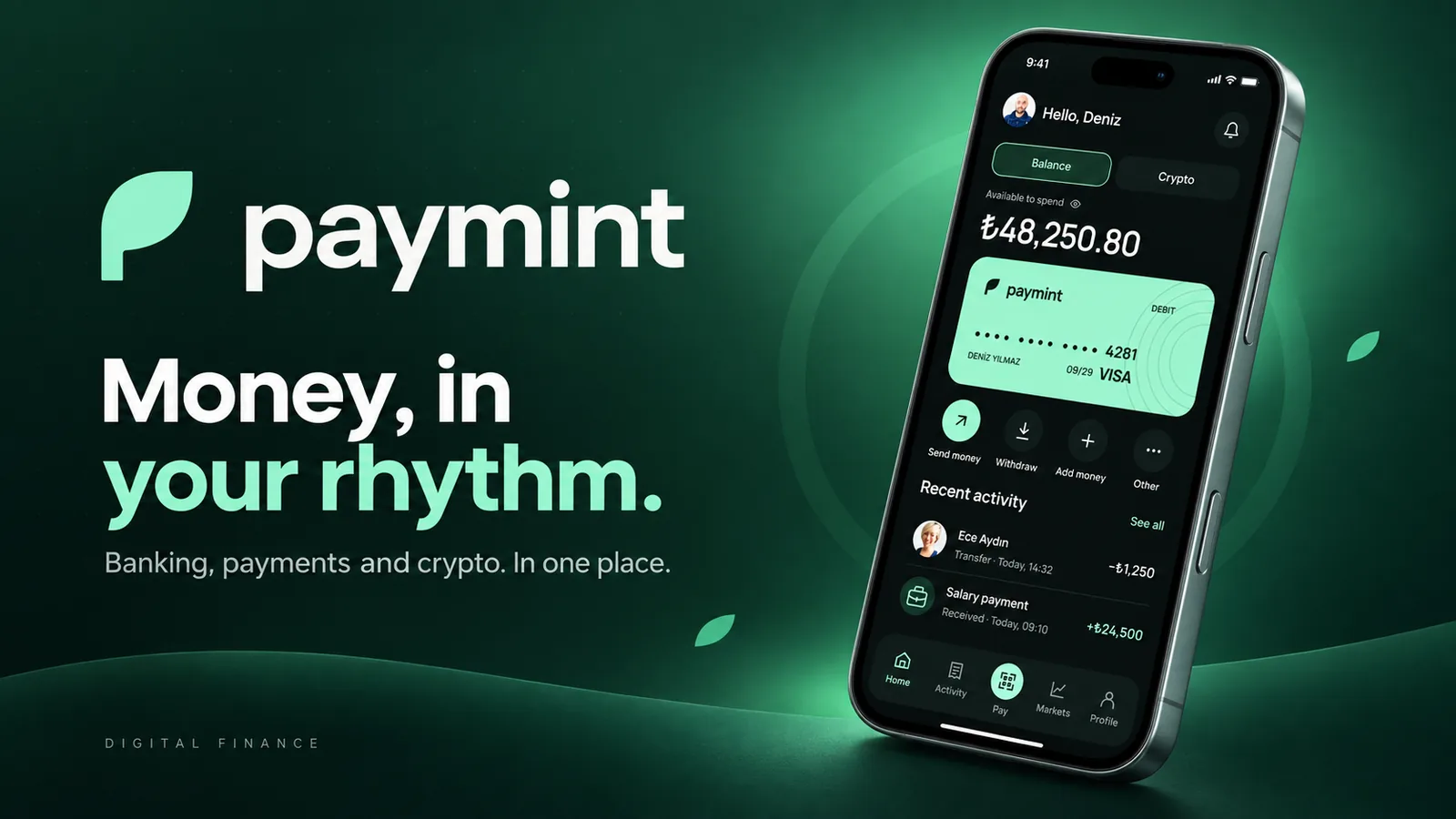
Paymint is a mobile finance app that brings everyday banking, instant transfers, QR payments and a crypto wallet into one place. Instead of switching between a bank app, a payment app and an exchange, users see one balance, one activity feed and one way to pay — with the same clarity whether they're sending lira to a friend or Bitcoin to an external wallet.
People who use both traditional money and crypto live in two or three apps with different mental models, different confirmation patterns and different levels of trust. Sending crypto feels risky, QR payments feel clumsy, and no single screen answers the basic question: how much can I actually spend right now?
Money should feel the same whether it's in your card, your wallet or your chain.
Unify fiat and crypto in one balance and one activity feed
Make every transfer reviewable before it's final — and instantly confirmable after
Turn QR payment into a three-second, no-thinking flow
Keep crypto transfers safe with explicit network and address checks
Build trust through a calm, consistent dark interface
A 64-person survey, eight in-depth interviews and finance reference walkthroughs.
Synthesizing findings into clear problems, user goals, flows, and the information architecture.
Wireframes to high-fidelity UI, built on a component system and refined through iteration.
Prototype flows and interface specifications, with validation priorities identified for the next stage.
Digitally native adults aged 22–40 who pay by phone daily and hold at least one crypto asset.
Freelancers and small business owners receiving salaries, splitting bills and paying merchants by QR.
Method Online survey · 64 respondents, 8 in-depth interviews, 3 competitor walkthroughs
| Task / dimension | Revolut | Binance | Paymint |
|---|---|---|---|
| Product focus | Banking and money services; region dependent | Crypto exchange and wallet services; region dependent | Proposed fiat and crypto overview |
| Merchant payment | Payment options depend on region and merchant | Binance Pay at supported merchants | Proposed balance or crypto QR payment |
| Transfer review | Confirmation flow depends on transfer type | Confirmation flow depends on transfer type | Recipient, fee and total review |
| Crypto send safeguards | Asset and network availability varies | Asset and network selection varies | Explicit network and address preview |
| Interface focus | Money management | Trading and crypto operations | Everyday payments and review clarity |
Reference comparison updated September 2026. Rows describe task coverage and design focus, not a usability ranking. Availability may vary by plan, region and product version; the final column describes this case study’s design. Competitors are international references, not a claim that every feature is available in Türkiye.
A single Home switches between Balance and Crypto with the same layout, card and quick actions — so both feel like the same product.
QR payments can be settled from the lira balance or converted from Bitcoin on the spot, with the fee and equivalent shown before confirming.
Every transfer — money or crypto — goes through a plain-language review screen and Face ID, then a receipt you can share.
Network, address preview and an explicit 'can't be reversed' notice sit right above the confirm button, where they can't be missed.
survey respondents · ages 22–45
Concern about wallet addresses made transfer reassurance a design priority. The review screen exposes the recipient, network, fee and total before confirmation; a reduction in abandonment has not been established by the survey figures shown here.
Total balance and spendable balance look the same
Crypto sends have no safety net before confirming
QR payment flows are slow and hidden
Activity is split across different apps and formats

Deniz gets a monthly salary, splits dinners with friends, pays for coffee by phone and keeps part of his savings in Bitcoin and Ethereum. He's confident with technology but careful with money — one wrong crypto transfer would ruin his month.
| Stage 01Discover Onboarding | Stage 02Check Home & activity | Stage 03Send Money transfer | Stage 04Pay QR at merchant | Stage 05Send crypto External wallet | |
|---|---|---|---|---|---|
| Actions | Reads four value screens, logs in with phone + SMS code | Toggles Balance / Crypto, scans recent activity | Picks a recipient, enters amount, reviews with Face ID | Scans code, chooses Balance or Crypto, confirms | Chooses asset, pastes address, reviews network & fee |
| Thoughts | "Is this a bank or a crypto app?" | "Okay — this is what I can spend." | "Everything I need is on one screen." | "That was faster than tapping my card." | "It's telling me exactly what can't be undone." |
| Emotion | Curious | Reassured | Confident | Delighted | Careful but calm |
| Opportunity | State the promise clearly: money, payments, crypto | Show 'available to spend' above the card | Review screen in plain language, one confirm | Fee and equivalent shown before pay | Network warning + address preview above confirm |
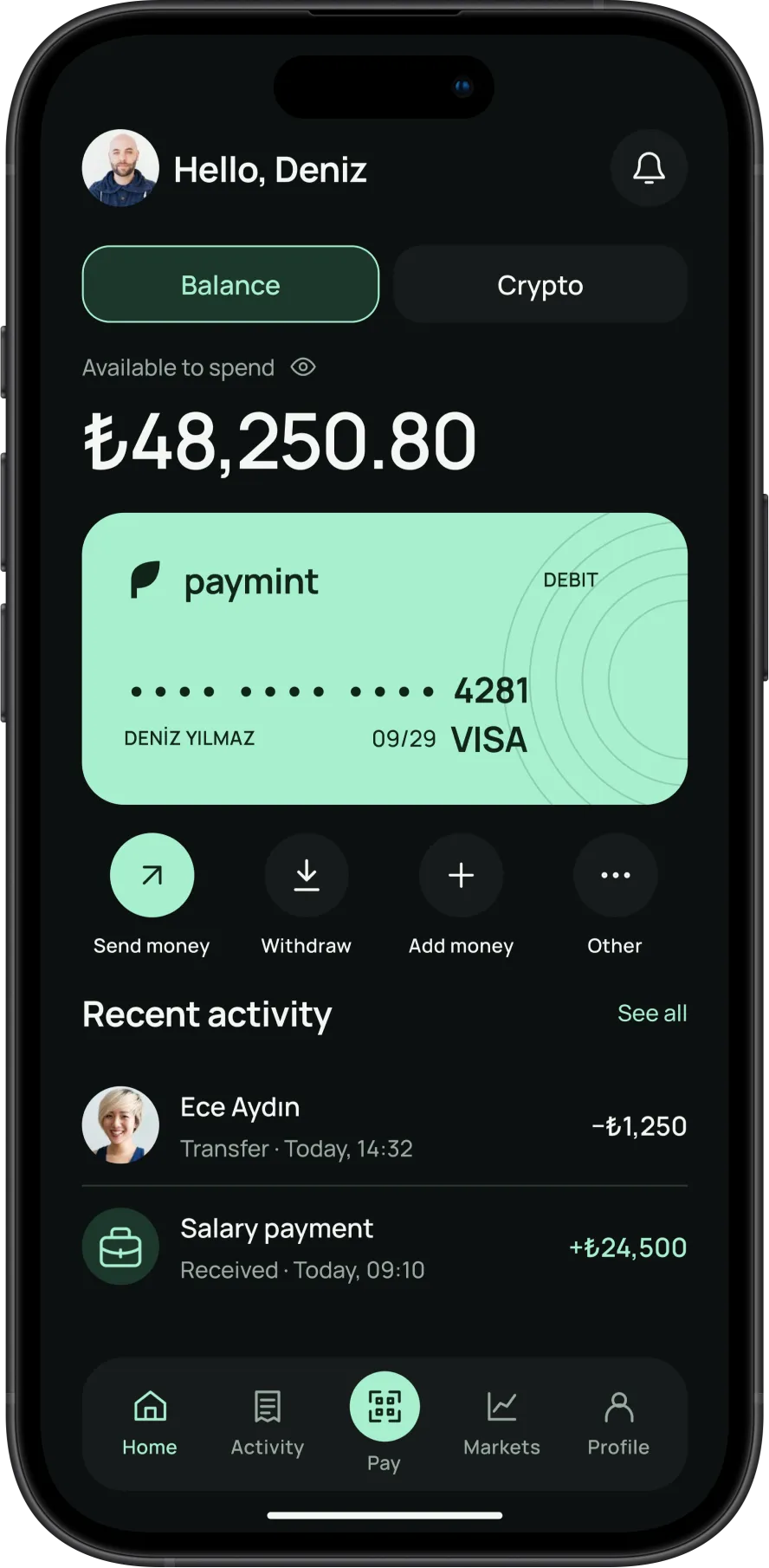
Available-to-spend sits above the card, with Send, Withdraw, Add and Other as quick actions. Recent activity closes the loop on every transaction.
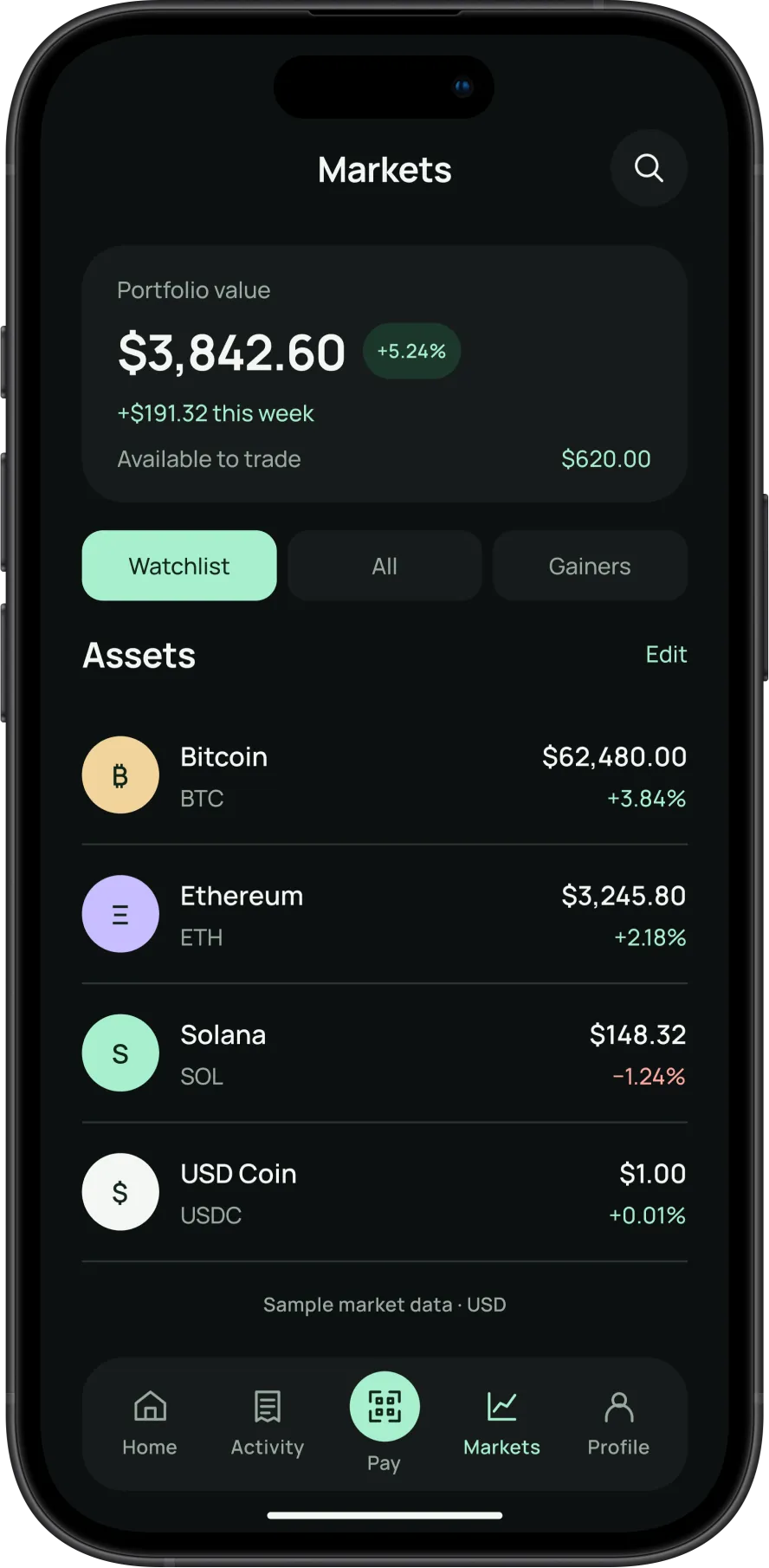
Portfolio value, weekly change and available-to-trade in one header; assets carry their live change so the feed doubles as a watchlist.
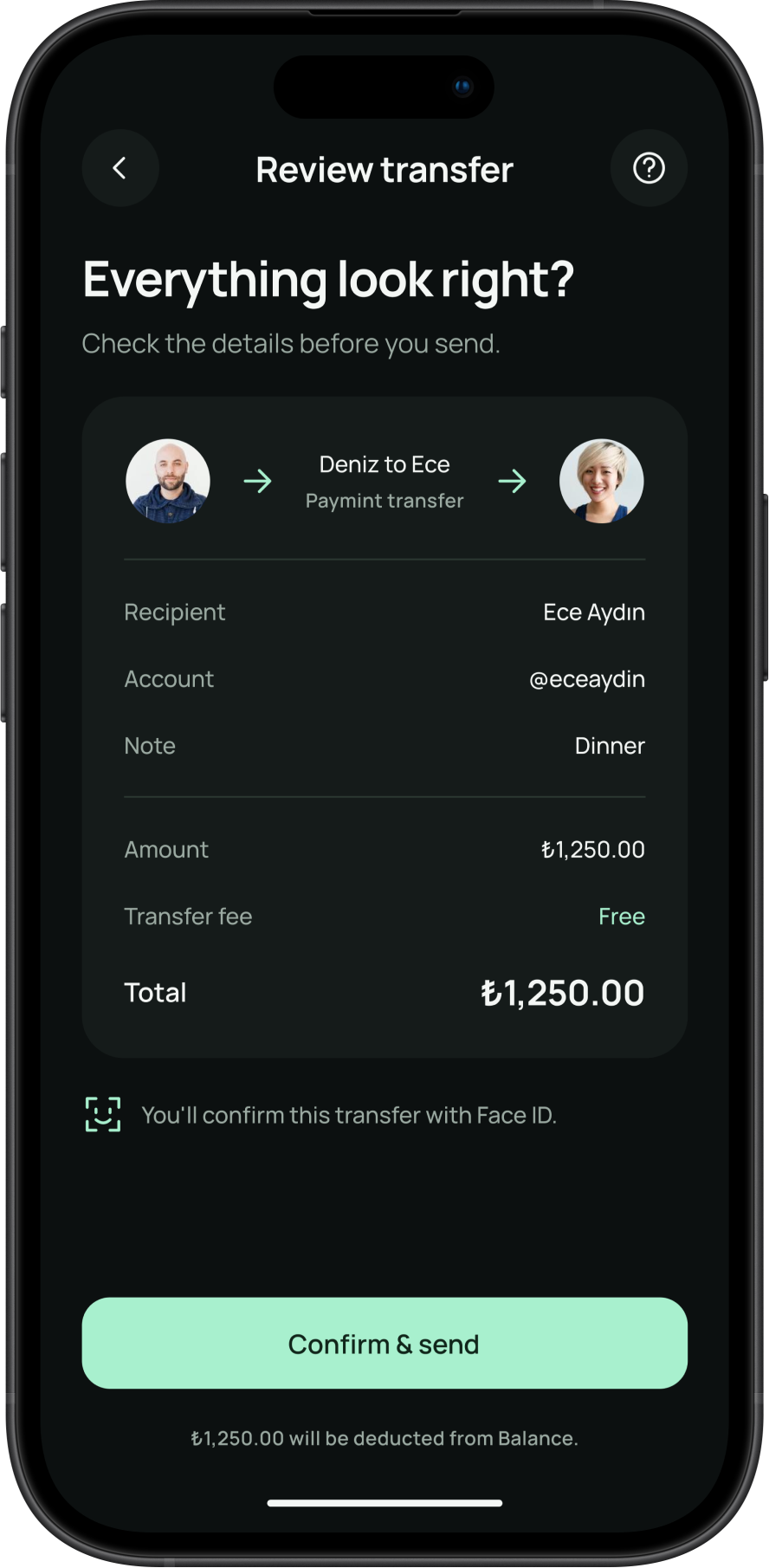
One plain-language card — who, how much, fee, total — followed by a single Face ID-protected confirm. Nothing is final until this screen.
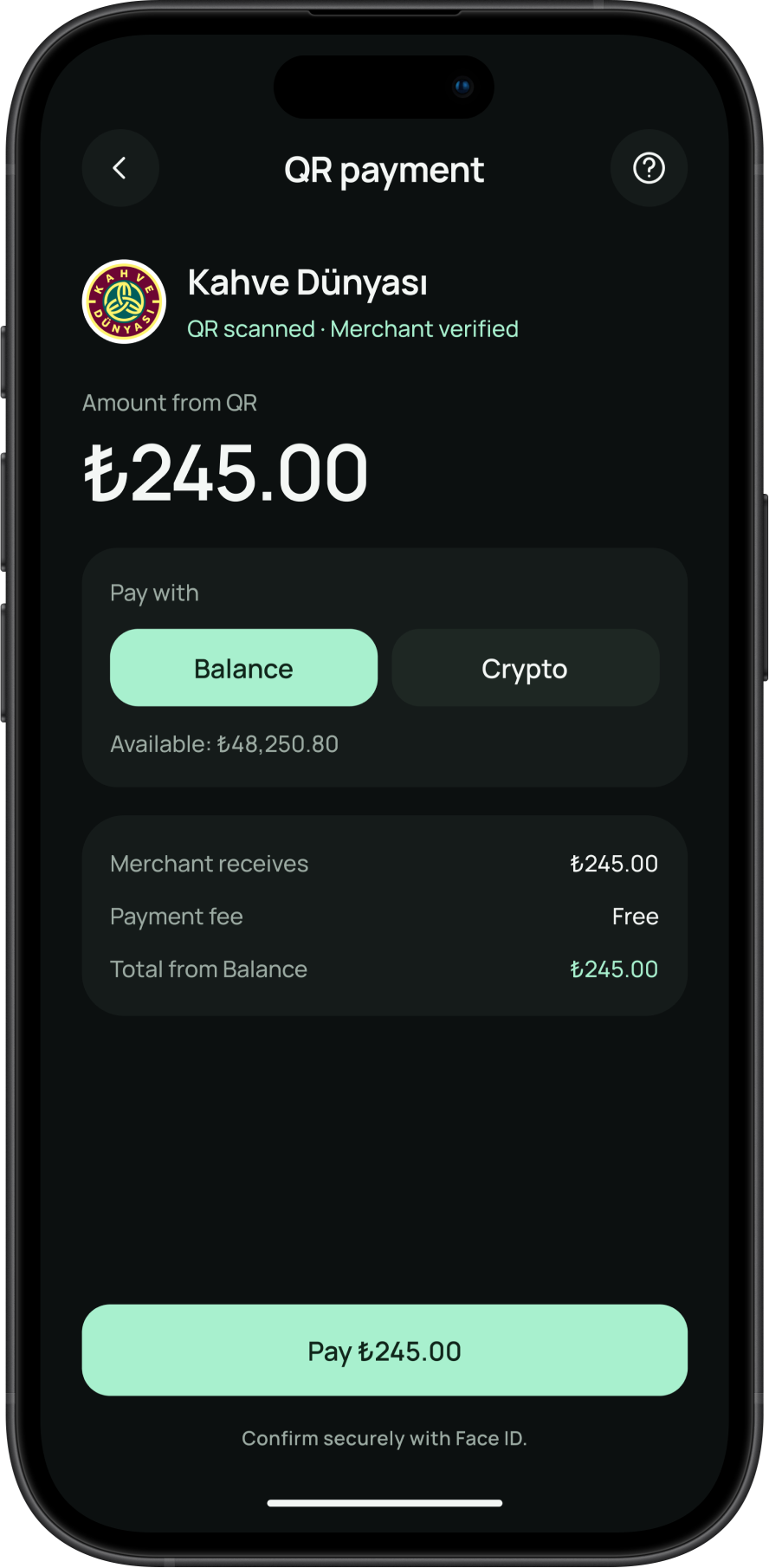
Merchant is verified, amount is read from the code, and the user simply chooses Balance or Crypto. Fees and equivalents update before paying.
23 more screens from the final design — tap any to enlarge.
Balance and Crypto share a familiar layout to reduce the learning required when switching between them. The intended effect on trust should be evaluated in task-based testing.
A dedicated review step places network, address and fee information before confirmation, with biometric authentication in the proposed flow. Its effect on abandonment requires measurement.
The QR flow minimizes decisions between scanning and confirmation. Completion time and error rate are the measures needed to validate the intended speed advantage.
